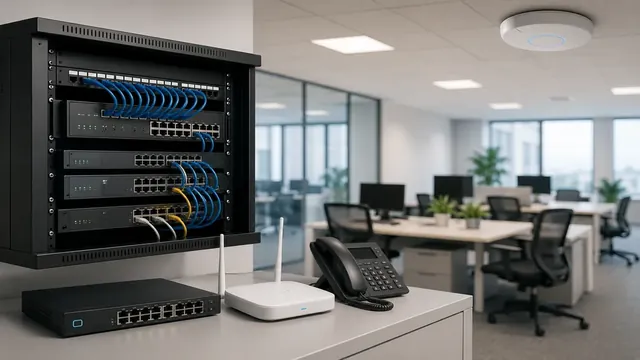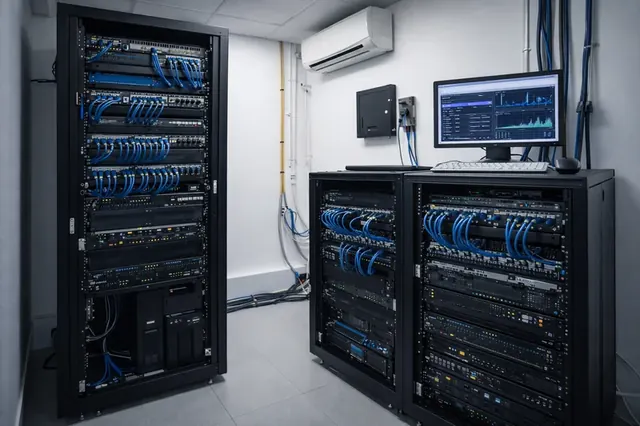
A network security policy defines access, change approval and incident handling. Technical controls enforce these rules but do not replace them. Least privilege, segmentation, backups and training form a coordinated set of measures.
Administrator rights — the first and most important pillar
At first glance it seems convenient for an employee to have administrator rights on their computer — they can install a printer, update a program or fix a minor issue without waiting for the IT department. In practice, however, every such "convenience" opens a door through which most real-world breaches of office networks pass.
What the principle of least privilege means
The rule is simple: every user and every program should have only as many rights as the specific job requires — nothing more. For a regular office employee, this means a standard user account with no permission to install software, change system settings or write to other users' protected folders.
Why unnecessary admin rights are a problem
Malware gets free rein. Most attacks start with an ordinary file opened carelessly — an invoice, a CV, an "update" attached to an email. If the user has administrator rights, the malicious code inherits the same rights and can install itself persistently, disable the antivirus, read passwords stored in the browser or spread to other machines on the network. Under a standard account, the same file usually cannot do more than cause a local nuisance.
Ransomware spreads faster. Many well-known file-encryption attacks rely specifically on administrative access to reach shared network drives and encrypt not only the user's personal files but all the company data the computer can access.
Anything can get installed. With administrator rights, nothing stops an employee (knowingly or not) from installing a "free" program, a browser toolbar or pirated software with embedded malicious components. Every such installation is a new, uncontrolled entry point into the network — outside the IT department's knowledge.
System settings become unpredictable. A firewall switched off "because it was in the way", a backup agent removed "because it slowed the computer down", automatic updates disabled — each such change, made with no ill intent, effectively lowers the protection of the entire network with a single click.
Post-incident investigation becomes harder. When every user can make changes to the system, it is much harder to establish exactly what happened during a breach — who installed what and when. Restricted rights leave a clearer and shorter trail.
Social engineering — the door the attack comes through
Almost no breach starts with "hacking" the system from outside — it starts with manipulating a person on the inside. Social engineering relies not on a technical weakness but on trust, haste or fear:
- Phishing emails — a message that appears to come from a supplier, a bank or a colleague, with an "invoice" attachment or a link to a fake login page
- Spear phishing — a targeted attack on a specific employee (for example an accountant or someone with access to payments), personalized with real names and details gathered in advance from public profiles
- CEO fraud — an email or message supposedly from a manager, requesting an urgent transfer or the sharing of data, precisely when there is no time to verify it
- Phone calls from people posing as "IT support" — asking the user to install a "remote assistance tool" themselves or to read out an access code
- A USB stick left "by accident" in the car park or common areas — a classic but still effective way for malicious code to enter the network through curiosity
All these scenarios have one thing in common: the attack does not need to breach the firewall — it only needs a single click from an employee with enough rights to execute it. That is exactly why restricted administrator rights and staff training are so important — they are the measure that works even when the person has been deceived.
Encrypting viruses (Cryptolocker / ransomware)
Encrypting viruses, commonly referred to as "Cryptolocker" after one of the first widespread variants, are among the most destructive consequences of successful social engineering. Their mechanism is simple and brutal:
- The virus is triggered by an opened attachment, a link or an infected macro in a Word/Excel document
- It silently encrypts the documents, databases and archives that the user's access allows — locally and across the network
- It leaves a ransom note (usually demanding cryptocurrency) in exchange for a decryption key
- It often deletes or encrypts local backup copies as well (Shadow Copies, local backups) to cut off any way of recovering without paying
- Newer variants first copy the data out (exfiltration) and then encrypt it — creating a double threat: pay for the key, or see the stolen data published
This shows the direct link to administrator rights: if the infected machine runs under a standard user account, the virus can usually encrypt only the files the user can access with their normal rights. If it runs with administrator rights, it can also reach network shares, shared servers and system backups — turning an incident on a single workstation into a business shutdown for the whole company.
Practical measures against encrypting viruses, beyond restricting rights:
- Regular backups with at least one copy physically or logically isolated from the network (an "offline" or immutable copy) that the virus cannot reach and encrypt
- Filtering of incoming mail and blocking of dangerous attachment extensions before they reach the mailbox
- Up-to-date operating systems and applications — many variants rely on known vulnerabilities that have already been patched
- Endpoint protection with behavioral analysis that detects mass file encryption in real time and stops the process, rather than relying only on known virus "signatures"
- Periodic training for employees on recognizing a suspicious email or call, combined with a clear procedure for who to notify when in doubt
What a company loses if it carries on the old way
- Higher risk of ransomware and data loss
- Slower and more expensive recovery after an incident
- Unstable workstations that the IT department constantly has to "fix"
- Difficulty demonstrating compliance with customer or insurer requirements
Firewall appliances — a complement, not a replacement
Restricting administrator rights solves the problem at the workstation level, but it does not cover what happens at the network level. This is where next-generation firewall appliances (NGFW) come in: they sit at the entrance to the office network and inspect exactly what passes through it, not just where it comes from and where it goes — unlike an ordinary router with a basic firewall.
Typical capabilities of this class of device:
- Application recognition (App Control) — the device can see that certain traffic is, for example, TeamViewer, BitTorrent or a specific cloud service, and can allow or block it by policy, regardless of the port it uses
- IPS/IDS (intrusion detection and prevention system) — detects known attack patterns in real time and blocks the packets before they reach devices on the network
- Network-level antivirus and sandbox — files downloaded from the internet or received by email can be scanned and, on more advanced models, executed in an isolated environment before they ever reach the employee's computer
- Network segmentation (VLANs + policies) — office computers, servers, cameras and guest Wi-Fi can be split into separate zones, so that a compromised machine in one zone cannot directly "see" the others
- VPN access — employees connect remotely through an encrypted tunnel with controlled access to only the resources they need, instead of the entire internal perimeter being exposed
- Centralized visibility and logs — a single point from which the IT department sees all traffic and can quickly determine where an incident originated
A number of vendors offer devices in this class — among the more common in corporate environments are Fortinet (FortiGate), Check Point, SonicWall, Sophos and, on the open-source side, pfSense/OPNsense. The choice between them depends on the size of the network, the budget and the expertise available for maintenance — but the principles they work on are similar.
It is important to understand that a firewall appliance does not replace control over workstation rights — it protects the network's entry and exit points. Even the best firewall will not help if an employee with administrator rights installs malware locally, which then operates "from the inside" using traffic that looks legitimate at first glance. The two measures work together: the firewall controls what enters and leaves the network, while restricted rights control what can happen inside each individual machine.
Why social networks and inappropriate websites should be filtered
Network-level content filtering (web/content filtering) is often seen merely as a productivity measure — but the real reason is mostly security-related:
- Social networks are a major vector for malvertising — ads carrying malicious code, displayed even on legitimate platforms, can infect a computer simply by opening the page, without any need to click on anything
- Fake profiles and messages on social networks and messengers are used for phishing in the same way as email, but more often fall outside the scope of mail filters and anti-spam protection
- Sites with pirated content, "crack" tools and illegal streaming are among the most common sources of malware — the ad networks behind them rarely check what they distribute
- Leakage of company information — uploading documents, screenshots or conversations to personal social media profiles takes them outside the company's control, whether accidentally or deliberately
- Bandwidth consumption — video streaming and social networks during working hours load the connection and can slow down critical business applications
- Legal and reputational exposure — if an employee accesses inappropriate or illegal content from the company network, responsibility often comes back to the company itself as the owner of the connection
Filtering is usually applied by category (social networks, streaming, gambling, adult content, known malicious domains) at the firewall or DNS filter level, rather than by manually blocking individual sites — this way the list is updated automatically and new threats are covered without manual intervention.
Why employees should not start their own VPN from the office network
A VPN connection initiated by the employee — whether from the work computer or from a personal phone connected to the office Wi-Fi — creates a "tunnel" that bypasses all the controls built at the network level:
- Firewall inspection is bypassed — VPN traffic is encrypted and the firewall appliance cannot see what exactly passes through it, even with App Control and IPS. Content filtering and network-level antivirus become useless for this traffic
- Network segmentation is bypassed — a VPN can "break through" the logical boundary between office devices and guest/server networks, connecting a device on the inside to an untrusted network on the outside
- Free VPN services are often a threat in themselves — many free VPN apps make money by selling traffic data, injecting ads or even directly distributing malware
- Personal devices connected to the office Wi-Fi — even just for VPN, they become a bridge between the personal and work worlds: if the personal phone is compromised, it is already "inside" the office network
- The IT department loses visibility — firewall logs no longer show the real destination of the traffic, which makes investigating an incident on the affected device almost impossible
The right approach is not a complete ban on VPN as a technology, but control over which VPN is used: only a corporate VPN client, configured and approved by the IT department, for a specific and legitimate purpose (for example remote access to internal resources) — never installed by the employee on their own initiative.
What the right approach looks like in practice
- Employees work with standard user accounts — with no rights to install software or make system changes
- Software and driver installation goes through a centralized process — request, approval, installation by IT
- Administrator rights are granted temporarily and only for a specific task, then revoked
- A separate, strongly protected administrator account is used only by IT staff — never for everyday work
- System settings are managed centrally through group policies, not manually on each machine
- A firewall appliance with active App Control, IPS and content filtering sits at the network entrance
- Social networks, streaming and inappropriate content are filtered by category at the network level
- Only an IT-approved corporate VPN client is allowed — no self-installed VPN apps
- Employees undergo periodic training on recognizing phishing and social engineering
- Regular, isolated backups of critical data are maintained
Together, these rules make up what a "corporate network for a successful business" means in practice — not because they are expensive or complex, but because they close the most common paths through which a small oversight turns into a business shutdown. Moving from informal habits to a clear policy is not a technical luxury but basic organizational hygiene — and it is usually one of the cheapest changes that genuinely reduces the risk of an incident.
Further reading: CISA — StopRansomware Guide.