A server room combines equipment with the conditions it needs: power, cooling, airflow and access control. Monitoring tracks the environment and reports deviations. Solutions depend on load, acceptable downtime and infrastructure size.
Failures may arise in equipment, power, cooling or communications. Environmental monitoring can reveal some deviations earlier. This requires tested notifications and an assigned responder, not merely installed sensors.
The room and the airflow
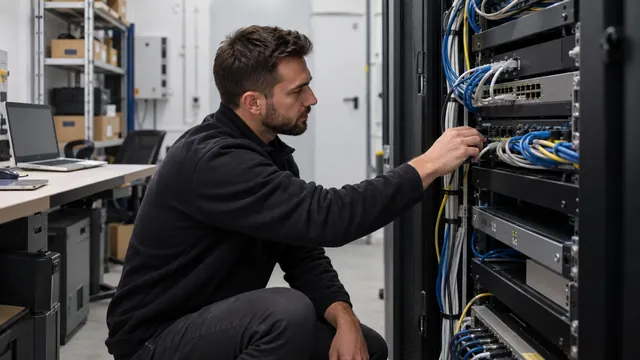
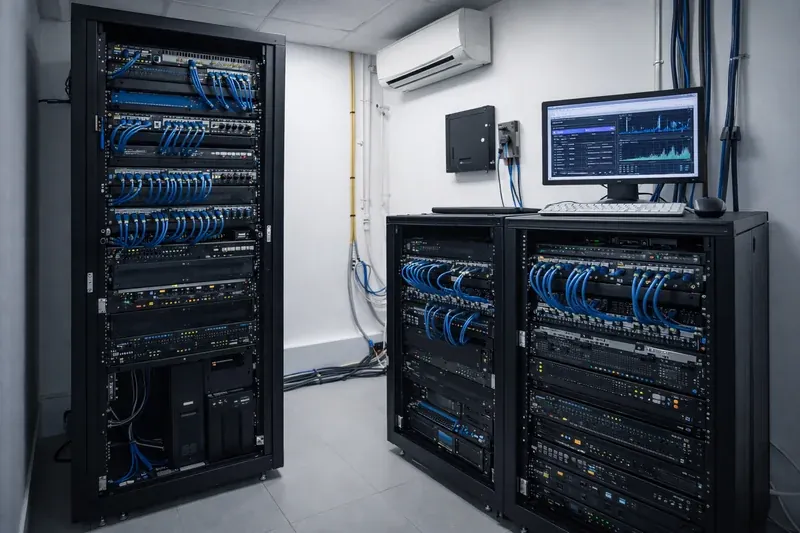
Planning starts with assessing the location. A good room can be insulated and sealed, has no large sun-exposed glazing and, ideally, is away from water and sewage pipes. Dust and uncontrolled outside air harm the equipment, so the door and cable openings are sealed. Depending on the scale, cables run under a raised floor or in cable trays above the racks.
Racks are arranged in a hot aisle / cold aisle layout. Servers and active network equipment draw air in at the front and exhaust hot air at the back. When the fronts of adjacent rows face each other, a cold aisle forms between them, while the backs form a hot aisle from which the cooling system takes the return air. Cold and hot air do not mix, and cooling becomes much more efficient.
System capabilities
- Room and airflow layout — a clear rack plan, cold and hot zones, no dead spots.
- Lockable 19-inch racks — deep enough, with perforated doors and cable management so that air flows freely from front to back.
- Precision cooling with headroom for growth — sized to the actual heat output of the equipment, not roughly by floor area.
- Online UPS and a dedicated power circuit — protection against interference, surges and short interruptions.
- Temperature, humidity and leak monitoring — with e-mail and SMS alerts when values go out of range.
- Door-open sensor — every opening is logged, including outside working hours.
- Access control with an event log — it is always known who entered and when.
- Dedicated earthing system and equipotential bonding.
- Labelling and documentation of every cable run — the basis for quick interventions and for a tidy result in an information security audit.
Cooling: precision units instead of comfort air conditioners
Residential and comfort air conditioners are designed for people and for intermittent operation. A server room needs continuous 24/7 operation and control of both temperature and humidity. Precision air conditioners run continuously and control both parameters: air that is too dry increases the risk of static discharge, air that is too humid increases the risk of condensation.
Cooling capacity is sized by actual heat output. Practically all the electrical power consumed by IT equipment turns into heat, so the power draw of the racks is a good starting point. Headroom for growth is added on top, because few server rooms still hold the same equipment a few years later. Where downtime is unacceptable, cooling is made redundant — two units that alternate or take over the load if one fails.
Power and UPS
The server room should have its own circuit from the main distribution board so it does not share a circuit with lighting, kitchen appliances or other heavy loads. Power distribution units are installed in the racks to feed each device.
The recommended UPS type is online (double conversion): the load is fed continuously through the inverter, so mains interference, fluctuations and brief interruptions never reach the equipment. Runtime is sized to the goal — enough time for an orderly shutdown of the servers, or to keep running until a generator starts. Where a generator is available, it can be set to start automatically when mains power fails.
Earthing and equipotential bonding are coordinated with the building's electrical installation. A separate unconnected earth arrangement is not assumed to be a universal solution. Implementation and checks follow the requirements for the particular installation.
Environmental monitoring and alerts
An IP-based monitoring system collects data from temperature, humidity, leak and door sensors. It is accessed through a web browser, and when a value crosses a set threshold, an alert is sent by e-mail and SMS. Leak sensors are placed on the floor under the air conditioner and near pipes; temperature sensors go at the front of the racks, where they measure the air the equipment actually takes in.
The point is for the alert to arrive before the outage, not after it: a rising temperature leaves time to react while the servers are still running.
Access control
The server room is the most sensitive room in an organisation, and access to it should be restricted and traceable. A door reader with individual cards or codes keeps a log of who entered and when. Optionally, a camera is installed inside, and its recordings complement the log. The racks themselves are also locked — a second layer of protection, especially when outside technicians enter the room.
What it consists of
- 19-inch racks with cable organisers
- Precision cooling, redundant where needed
- UPS system and rack power distribution units
- Environmental monitoring system with sensors
- Access control for the room
- Cable management and earthing
- Installation, configuration and documentation: power diagram, rack layout, cable schedule
Common planning mistakes
- A single comfort air conditioner with no backup — a unit not designed for continuous operation is a single point of failure.
- Monitoring without alerts — a sensor whose data nobody looks at prevents nothing. Alerts should be tested and reach someone who can act.
- A UPS that has never been tested — batteries age, and real runtime needs to be checked periodically.
- Sizing without headroom — cooling and power are calculated for today's equipment plus expected growth.
- A shared power circuit — a breaker tripped by another load can take down the entire infrastructure.
- No documentation — unlabelled cables turn every later intervention into an investigation.
Practical application
A well-planned server room keeps a stable operating temperature, which means longer equipment life and fewer failures. Alerts arrive in time, the equipment is protected against surges and short power cuts, and access to the room is clear and traceable. A tidy infrastructure makes every later intervention quick and meets the expectations of customers, partners or auditors during an information security review.