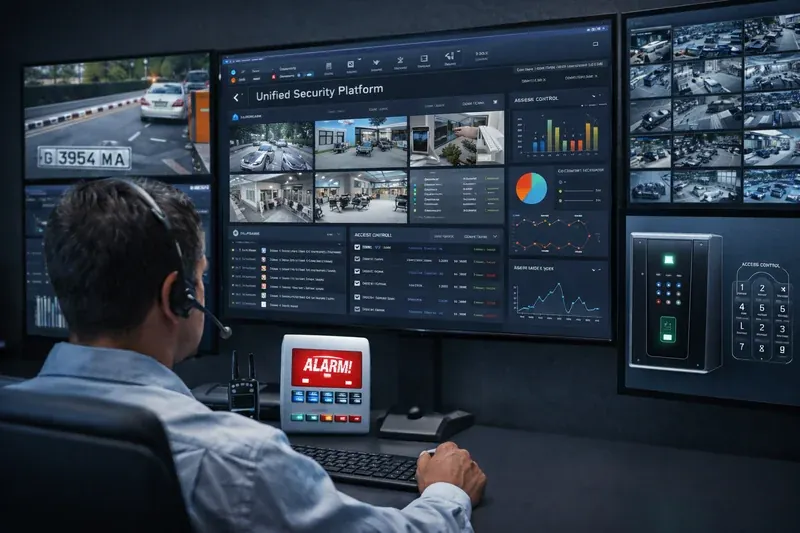
Integrating CCTV, alarm events and access control connects data from separate subsystems. A common interface may associate a door opening with video or a sensor event. This requires compatible interfaces, synchronised clocks and defined permissions.
An integrated security platform addresses exactly this problem. It brings the three sources together on one screen: a graphical site map with every device, a shared event feed and automated response rules. The result is not just convenience but a shorter response time — from minutes down to seconds. This article explains how such an integration works, what it should be able to do and what to keep in mind when planning it.
How event correlation works
Correlation is the heart of the integration: the system links events from different subsystems by time and location and carries out a predefined response. A few typical rules:
- Door opened with a card outside working hours — automatic recording from the nearest camera and a notification to the person in charge.
- Detector alarm — the camera covering the zone pops up on the operator's screen, together with footage from 10 seconds before the event.
- Entry attempt with a blocked card — a snapshot from the camera at the reader and an entry in a separate log.
- Forced door or door held open — an audible signal and a notification.
- Fire signal — evacuation doors are unlocked, barriers are raised and the evacuation plan is displayed.
- Blacklisted licence plate at the entrance — the barrier stays closed and security staff are alerted.
Each such rule replaces a series of manual steps that are easily missed or delayed in a real incident.
System capabilities
- A single platform for cameras, alarms and access control
- A graphical site map showing device status in real time
- Event correlation across subsystems
- Automated response scenarios that do not depend on operator attention
- Video verification of every alarm
- Central monitoring of multiple sites from one location
- A unified archive for fast investigations
- Roles and permissions for security staff, managers and technical support
- Reports on incidents and security response
- ONVIF compatibility and support for existing systems
- Autonomous operation of subsystems if the integration server fails
- Synchronised time for accurate correlation
What it consists of
An integrated system is not a separate type of hardware but a layer that connects existing or newly built subsystems:
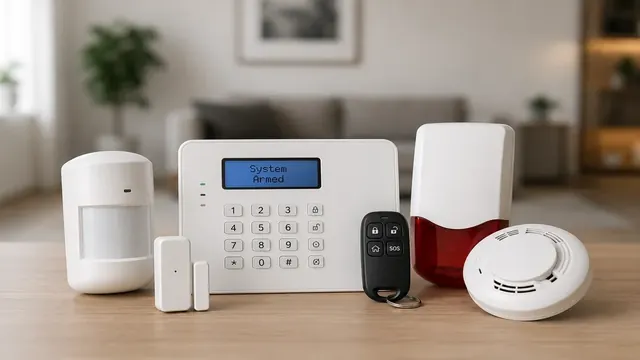
- Intrusion alarm system — control panel, detectors and sirens that feed events to the platform
- IP video surveillance — cameras and recorders, preferably ONVIF-compatible
- Access control — controllers, readers, electromagnetic locks and exit buttons
- Integration server — with redundant power and storage sized for the number of cameras and the retention period
- Software and licences — for the server and the operator workstations; the number of seats and roles follows the way security is organised
- Network connectivity — a reliable network between the subsystems, ideally separated from the office network
Compatibility with the leading manufacturers of alarm panels and access control systems means integration can be built on top of equipment already in place rather than replacing it entirely.
Unified interface, roles and archive
For the operator, the most visible change is the graphical site map: cameras, doors and detectors are placed on the floor plan and show their status in real time. Instead of searching for the camera that covers a given corridor, the operator selects the icon of the triggered detector and sees the image straight away.
The shared event feed can be filtered by type, zone, time and user. Roles and permissions provide different views and different rights — security staff see events and cameras, managers have the reports, and technical support monitors device health.
The unified archive cuts incident investigation from hours to minutes: video footage, access events and alarms are searched in one place along a single timeline. The same data feeds the reports — incidents by period, workload, security response times and staff movements. Where there are several sites, such as a retail chain, all of them can be monitored from a single centre.
Failover and time synchronisation
Two technical requirements are often underestimated, yet the reliability of the whole system depends on them.
Subsystem autonomy. The integration server must not become a single point of failure. If it stops, the alarm panel keeps protecting the site, access controllers still admit only authorised cards and cameras continue recording. Only correlation and the combined view are lost — not the core protection.
A common time source. Correlation only works if all devices share the same time. A discrepancy of even a minute makes the link between a reader event and a video recording unreliable. Cameras, recorders, controllers and alarm panels are therefore synchronised from a common NTP server.
Data retention
Video recordings and access logs contain personal data of employees and visitors. The archive is planned with defined retention periods per event type, access to recordings is restricted by role, and every review is logged. This way the unified archive supports accountability to the owner, insurers and regulators without keeping data longer than necessary.
Common planning mistakes
- Starting the integration from the software. The scenarios — what should happen for each event — are described first, and only then is the platform chosen.
- Unverified compatibility. Not every alarm panel or controller can pass events to an external platform. Protocols and required licences are checked in advance.
- Untested evacuation scenarios. Unlocking doors in case of fire must be aligned with fire safety requirements and tested on site.
- No time synchronisation. Without a common NTP source, correlation produces wrong results.
- Too many notifications. If every event raises an alarm, the operator stops reacting. Rules are tuned so that only what requires action reaches the screen.
- Untrained operators. Automated scenarios only help if people understand what they are seeing and what is expected of them.
Upgrading in stages
Integration is rarely done in one go. A practical approach is to connect video surveillance and the alarm system first to get video verification, then add access control, and introduce automated scenarios gradually, testing each one. Existing systems stay in use, while the site gains one screen instead of three programs, fewer false alarms and a faster response.