The car park as part of the site
For a shopping centre, hospital, hotel or office building, the car park is the visitor's first and last impression. It has to let cars in quickly, guide drivers to a free space without circling and allow payment without queuing. At the same time, for the owner the car park is both a source of revenue and a policy tool — free parking for the site's customers, paid parking for everyone else.
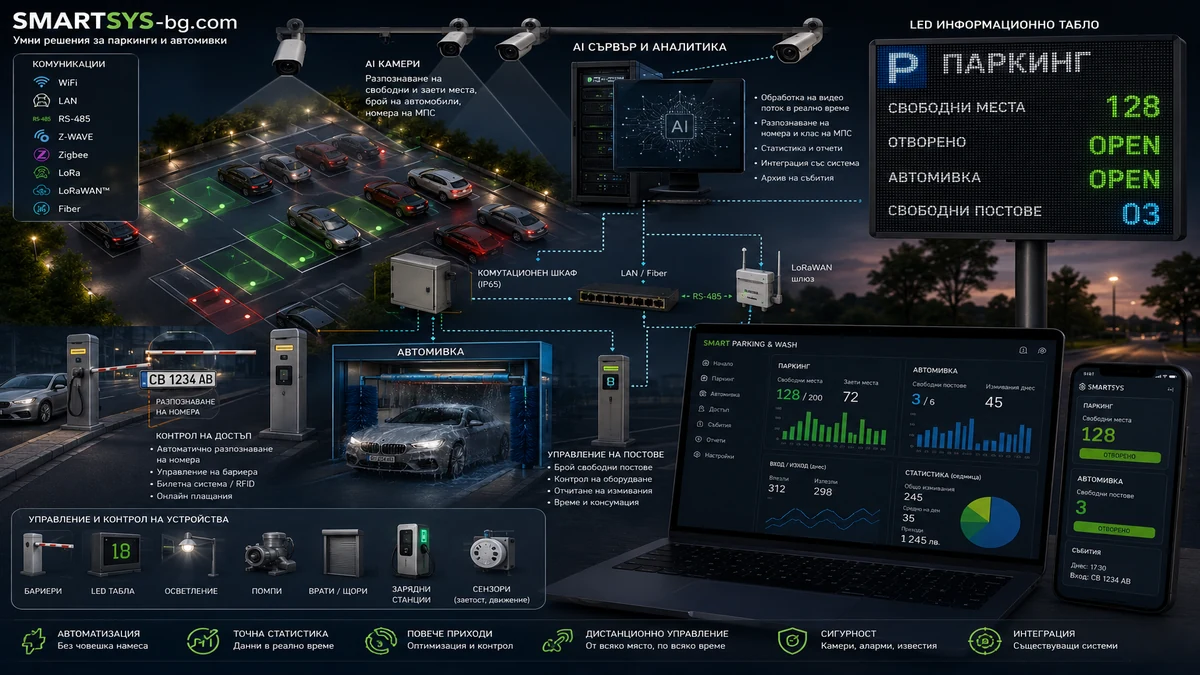
An automated parking system connects the individual devices — barriers, licence plate recognition cameras, counters, displays and pay stations — into a single whole with shared management software. The scale ranges from a single barrier to several entrances and a multi-storey car park. This article covers how a visit unfolds, what the system should be able to do and which decisions are best made at the design stage.
How a visit unfolds
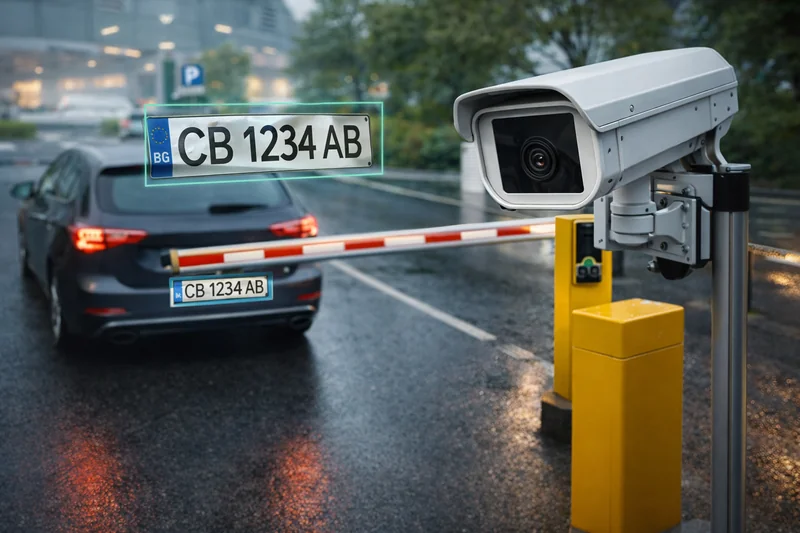
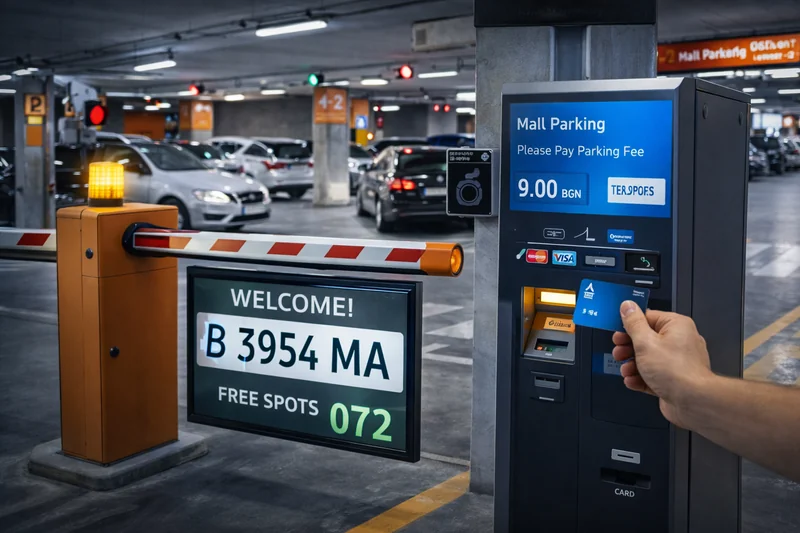
- At the entrance, the ANPR camera reads the licence plate, the ticket machine issues a ticket with a QR code and the barrier rises.
- Displays at the entrance and on each level show the number of free spaces, and indicator lights above the bays guide drivers to the free ones.
- At the store checkout, the ticket can be validated for free or extended parking.
- Before leaving, the ticket is paid at a pay station — by card or in cash.
- At the exit, the ANPR camera recognises the plate and the barrier opens automatically, with no need to scan again.
Plate recognition is the link between entry and exit: the system knows when the car came in and whether the stay has been paid, without relying entirely on the paper ticket.
What the system should be able to do
- Automatic barriers with ANPR at entry and exit
- Free-space displays at the entrance and on each level
- Real-time occupancy counting
- Pay station accepting card and cash
- Ticket validation at the checkout
- Flexible tariff plan by day, hour and category
- Subscriptions for employees and tenants
- Lost ticket procedure
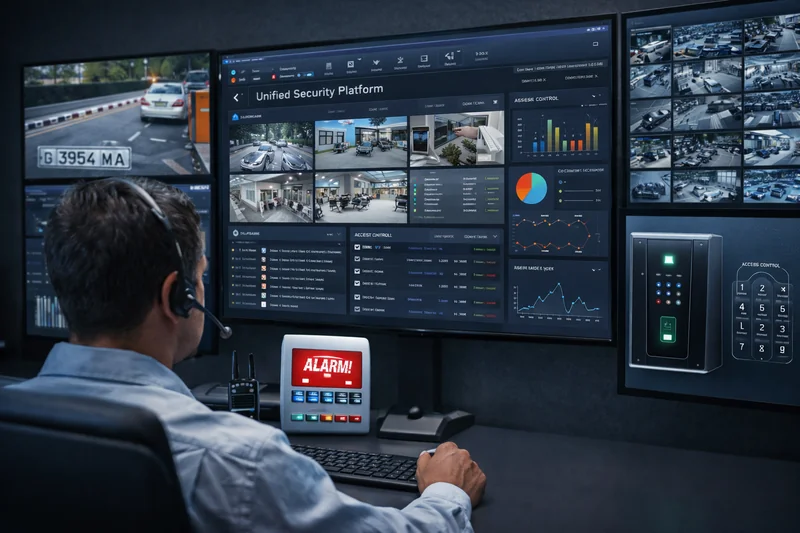
- Intercom from every barrier to the operator
- Reports on revenue, length of stay and traffic load
- Emergency opening on fire alarm and evacuation
- Autonomous operation of entrances during network problems
What it consists of
- Barriers — their number follows the entrances and exits; rated for a high cycle rate in heavy traffic, with anti-crush protection and a boom sized to the lane width
- ANPR cameras — with IR illumination at every entry and exit, capable of reading plates on moving vehicles
- Occupancy counters — controllers at the entrances and on the ramps between levels
- Free-space displays — LED signs visible from a distance, at the entrance and on each level
- Pay station — accepting cards, banknotes and coins, with fiscal compliance and receipt printing
- Intercom — a link from every barrier and pay station to the operator
- Management software and licences — for tariffs, subscribers and reports
- Network infrastructure and power — connecting the entrances to the server, while each device keeps local autonomy
Tariffs, validation and subscribers
The tariff plan is where the site's policy turns into rules. Typical elements are free first hours, a stepped tariff, a daily cap, different prices for weekdays and weekends, and a separate overnight rate.
Checkout validation links the car park to the retail business: a terminal at the checkout extends free parking according to the purchase amount. Customers of the site do not pay, while cars using the car park for other purposes pay for their stay.
Subscribers — employees and tenants — are recognised by their licence plate and enter without a ticket. A lost ticket is handled through a predefined procedure: a fixed fee or establishing the actual entry time from the recognised plate. Payment through a mobile app can also be offered alongside the pay stations.
Emergency modes and autonomy
A car park that stops working when the network goes down blocks the whole site. Every entry and exit device must therefore be able to operate locally — admitting subscribers and issuing tickets even without a connection to the central server, with events synchronised once the connection is restored.
On a fire alarm or evacuation, all barriers open automatically. The intercom at every barrier lets the driver get help in case of a fault, a declined card or a lost ticket without blocking the lane for long.
What the data shows
The management software collects data that is rarely available otherwise: revenue by hour and day, average length of stay, space turnover, load per entrance and reports for accounting. Real footfall data is useful not only for running the car park but also for the site's tenants. Manual fee collection disappears and revenue becomes fully traceable.
A well-built system is scalable: new entrances, levels and pay stations can be added without replacing the whole system.
Common design mistakes
- Not enough queuing space in front of the barrier. If the entry queue backs up onto the road, peak hours cause congestion outside the site. The buffer zone is sized for the expected traffic.
- Poor angle and lighting for ANPR. The camera must see the plate head-on, without oncoming headlights or sun in the lens. Recognition is tested in rain, at night and with dirty plates.
- No safety detection under the boom. Induction loops or photocells prevent the boom from coming down onto a vehicle.
- Cable routes forgotten before paving. Ducts for power and data to every barrier and pay station are laid before the surface; doing it later is far more difficult.
- Undefined emergency logic. Opening on fire alarm and operation during network loss are defined and tested before commissioning.
- Data retention left unaddressed. Licence plates and ANPR images are personal data. A retention period and the circle of people with access are defined.
- An overly complex tariff. If drivers cannot understand the price from the sign at the entrance, frustration and intercom calls increase.