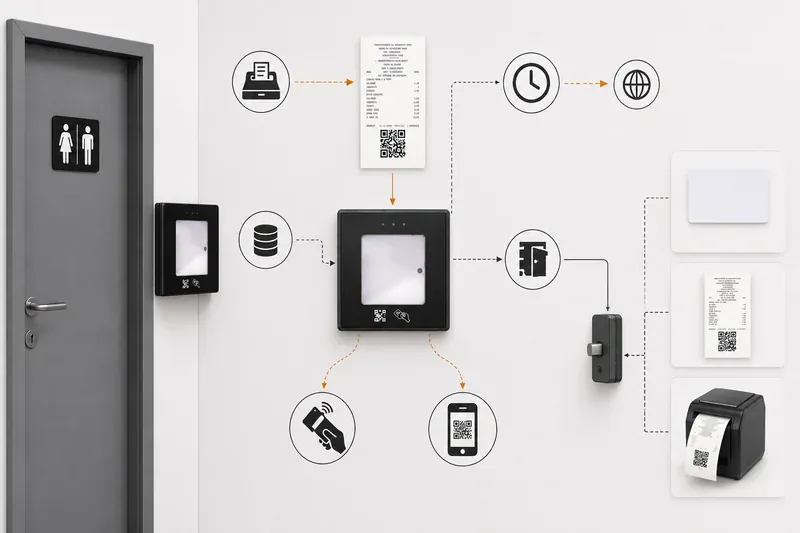
With receipt QR access, a reader extracts code data and a controller checks it against defined rules. The code can associate a visit with a purchase and time window. Access depends on validation; the presence of a QR code alone does not establish authenticity.
One practical solution is to use the till receipt as a pass. The receipt proves that its holder is a customer and entitles them to use the restroom free of charge for a set period after the purchase. The system introduces no extra fee — it simply filters out people who would use the facilities without bringing any revenue to the business. The restroom stays cleaner, maintenance costs go down and real customers do not have to wait.
How it works
- The customer makes a purchase at the till.
- The fiscal device prints a standard receipt with a QR code.
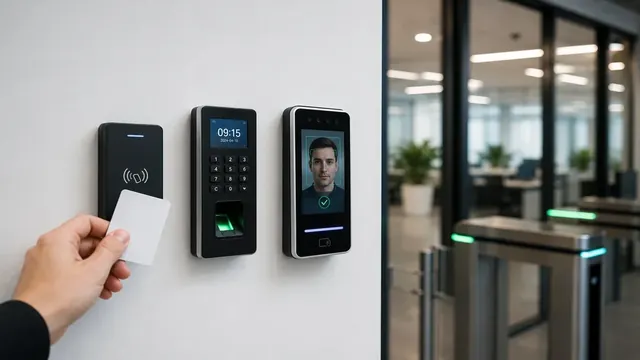
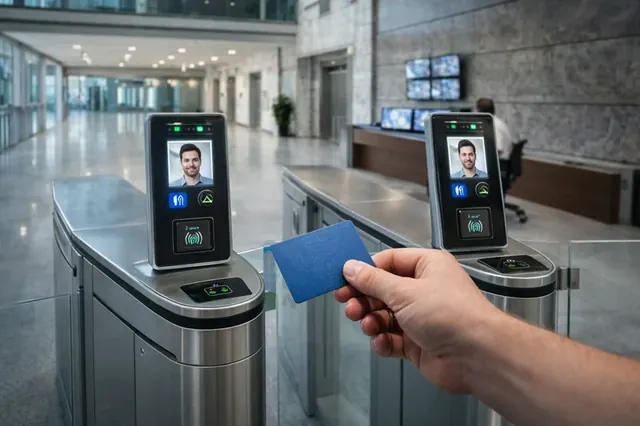
- The customer holds the QR code from the receipt — or an RFID card, if they have one — up to the reader on the door.
- The controller verifies the information locally, with no internet connection needed.
- It checks the fiscal memory ID, the validity of the QR code, the time elapsed since the receipt was issued and, for a card, the permissions of the RFID credential.
- If the check succeeds, the electric lock opens for a preset interval.
- When the interval ends, the door locks again automatically.
What the QR code on a fiscal receipt contains
In Bulgaria, fiscal receipts carry a QR code with the key details of the sale: the individual fiscal memory number, the receipt number, the date, the time and the amount. These are exactly the data that make the code suitable for access control.
- The fiscal memory number shows whether the receipt was issued by the till of the same business. A receipt from the shop next door will not open the door.
- The date and time make it possible to check whether the purchase is recent enough for the configured validity window.
- The receipt number makes each code unique, so the system can accept it only once.
The QR code itself is not cryptographically signed, so protection comes from the combination of binding to a specific fiscal memory, a time window and single use. When the controller is also connected to the cash register, it can match the code against receipts actually issued, which makes attempts with home-made codes much harder.
System capabilities
- Access for customers only — the door opens only with a receipt for goods or services purchased.
- A unique QR code on every receipt — no shared or repeating codes.
- Single use — once accepted, a code will not open the door again, and a receipt cannot be passed from person to person.
- Adjustable time limit — validity from 15 to 120 minutes after the receipt is issued.
- Works without internet — verification is local, so a lost connection does not block the door.
- Web dashboard for statistics and management — number of entries, peak hours, interval settings.
- Staff codes — employees and cleaners enter with their own codes or RFID cards, without a receipt.
- Easy integration with the POS and cash register — no change in how cashiers work.
- Wireless version — installation without drilling or running cables to the door.
Technical specifications
- QR reader: built into the control module, works with standard fiscal devices; door-mounted readers are rated IP66.
- RFID: MIFARE Classic / DESFire, 13.56 MHz, ISO/IEC 14443.
- Communication: RS-232 or USB to the cash register; Wiegand or RS-485 to the lock.
- Offline mode: full functionality without internet, with local verification.
- Time limit: configurable from 15 to 120 minutes.
- Power supply: 12 V DC, UPS backup supported.
What it consists of
- IP66-rated QR door reader
- Electric lock or magnetic lock
- Control module (gateway) that performs the verification
- Management and statistics software
- Integration module for the cash register
- Installation, commissioning and staff training
Practical planning tips
- Validity window. Too short a window is inconvenient for customers who eat first and only then go to the restroom; too long a window weakens the filter. Restaurants usually need a longer window than a shop or a petrol station.
- Exit and emergencies. The door must always open from the inside without any check. How the lock behaves during a power cut is chosen according to safety requirements, and a UPS keeps normal operation going through short interruptions.
- Accessibility. The reader is mounted at a height that also suits wheelchair users, and staff must be able to unlock quickly when needed — for children, elderly people or in an emergency.
- Clear signage. A short note next to the reader explaining that the door opens with the QR code from the receipt saves questions at the till.
- Print quality. Faded thermal paper or a dirty print head make the code hard to read, so maintaining the receipt printer becomes part of maintaining the system.
- Staff card security. For staff RFID cards, MIFARE DESFire is preferable, as MIFARE Classic security has long-known weaknesses.
Practical application
The system does not burden customers with extra fees and does not need an employee to guard the door. Real customers use the restroom free of charge and without waiting, while people who do not shop there simply have no access. The facilities stay cleaner, spending on cleaning, consumables and water falls, and the statistics in the web dashboard show how often and at what hours the restroom is used — useful information for planning cleaning.